Fillets that finish where they used to refuse
Inside seams across earlier rounds, blind-hole bottoms and edges ending in inside corners now finish at the size you ask for, with clearer results on the Fillet and Chamfer cards.
The same R2 fillet, refused and finished
The inside seam where the Spline port carrier's overhead bridge meets the casting, picked as Edge 1, Rim 2 and Edge 3 with Smooth chain.
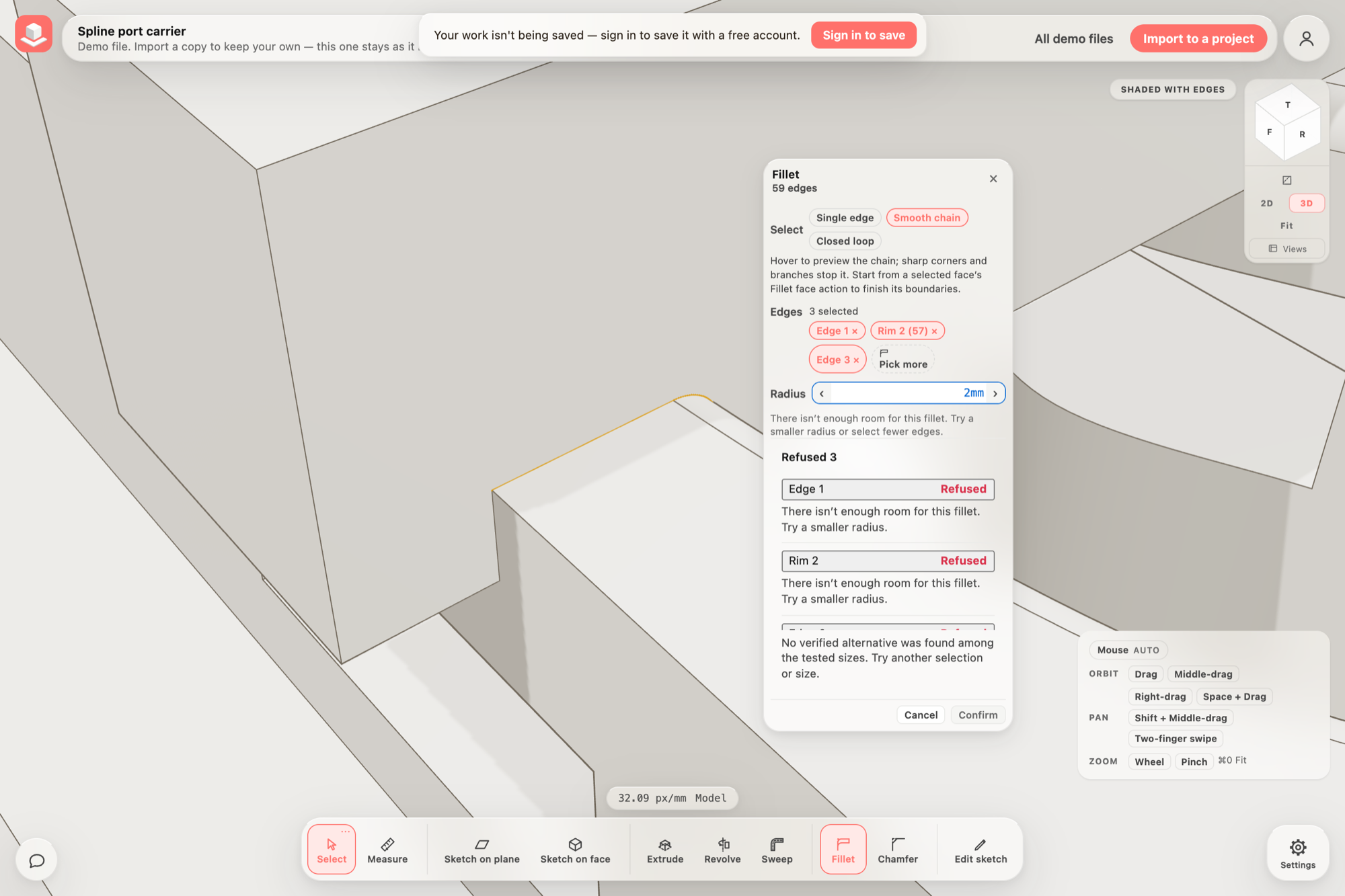
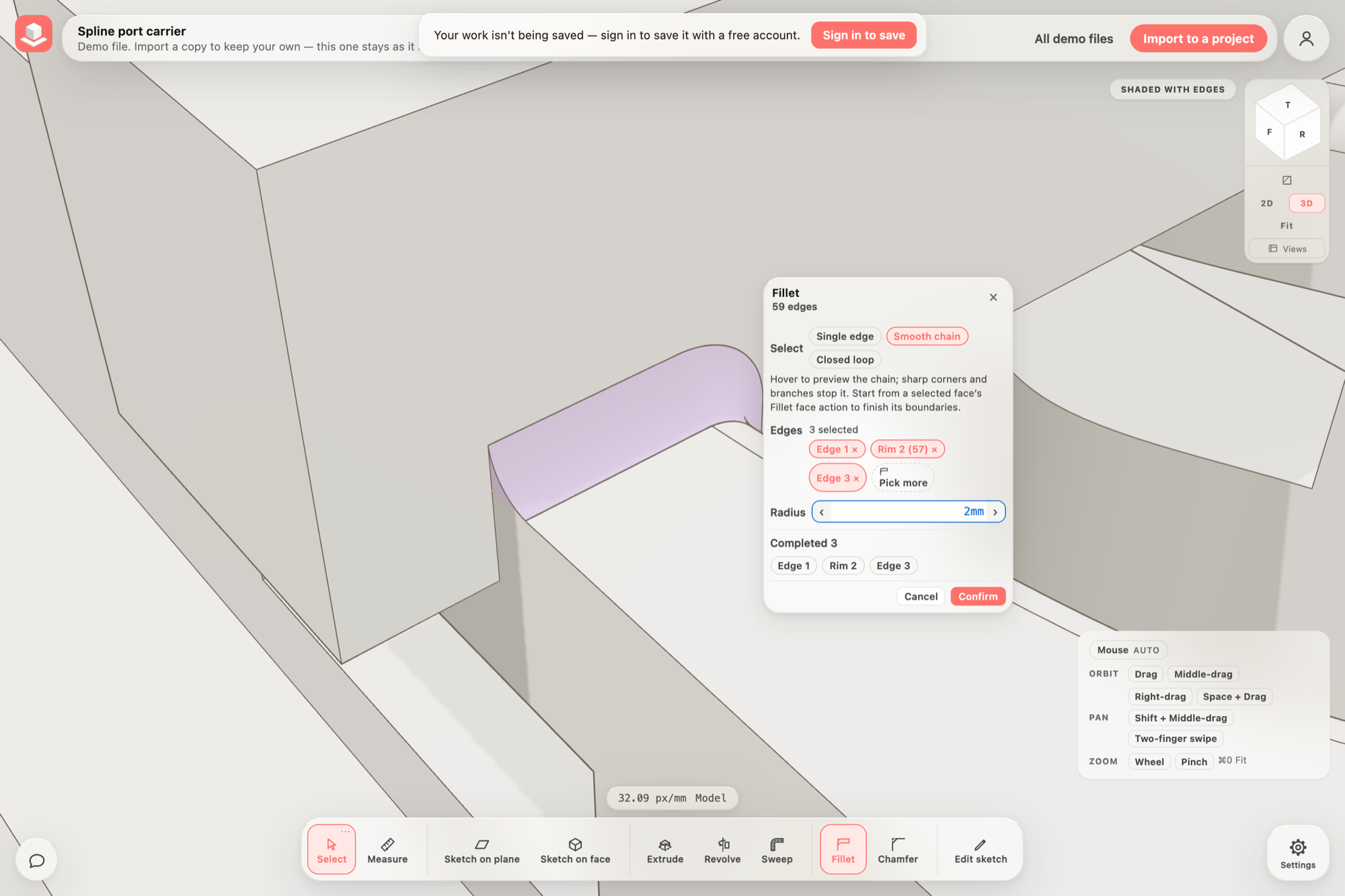 BeforeAfter
Rounding an inside seam across a curved surface
Where a flat face meets a curved one, for example a bridge added across a window whose rim was already rounded, an inside fillet can now follow the whole seam at the radius you type.
This works for an open run of inside edges along one flat face that ends against flat faces. Closed loops and outside edges are finished the same way as before.
- Choose Fillet and set Select to Smooth chain.
- Pick the seam; a chain that crosses an earlier round is added as one rim.
- Type the radius and check the preview, then choose Confirm.
Everything in this release
Fixed
- The Spline flow housing demo opens without a problem on its turret drilling. Some faces with a round hole lined up exactly with another opening's straight edge were rejected by the final surface check.
- Filleting a bore together with a nearby cutout across a thin wall now reduces the radius where the wall is thin and says so, instead of refusing with a message to finish the bores first.
- Fillet the inside seam where a flat face meets a curved surface, such as a bridge standing across a rounded window, at the full requested radius, stopping flush with the faces at each end. These selections were refused, or finished at a tiny fraction of the radius, before.
- Fillets and chamfers no longer fail on some parts with long flat faces beside rounded openings, where the final surface check rejected the whole operation.
- Round outside edges that run into an inside corner at the end of a part, such as the end edges of the Angle bracket demo, at the full radius. These were refused even at small sizes before.
- When a fillet is too large for the face it ends against, it is now built at the largest size that fits and the card says so, instead of being refused.
- Round the bottom of a blind hole. It was refused at every size with a message about a 0 mm bore wall.
- Round an arm's outline right up to where it meets a round hub, as on the Quadcopter demo. The 1 mm fillet failed to build before.
- Chamfer an outside edge that ends on an L-shaped or notched end face, such as the Angle bracket demo's upright. The chamfer used to cut away part of the far end of that face and was refused even at small sizes.
- Chamfers ending on slightly warped faces, beside short flares, or across several facets of a curved blade now build at the requested distance instead of being refused as a cut that cannot close.
- Picking the line where an earlier round blends smoothly into a face now says there is no corner to finish, instead of failing or rounding at a few hundredths of a millimetre.
- Fillet messages that name a place on the part now give it in millimetres.
- The Fillet and Chamfer cards show results more compactly: a reason shared by every edge is stated once, affected edges appear as chips that match the card, and long lists show the first twelve with a +N more control. Selected edge chips and Pick more now sit on one line at one height.
- After you deselect the Origin, changing the rendering style, leaving presentation or switching back to 3D no longer redraws its amber selection marker over the plain one.
- The app no longer fails to start in browsers with partial support for pop-up panels, such as Safari before 15.4. The Updates panel now opens there without its dimmed backdrop.
