Model and Simulate on phones
A lighter phone layout: Simulate now uses the same frame as the model, with the 3D view always in sight.
The same app on a phone
Water sphere into an open box, on an iPhone-sized screen (393 by 852), before and after.
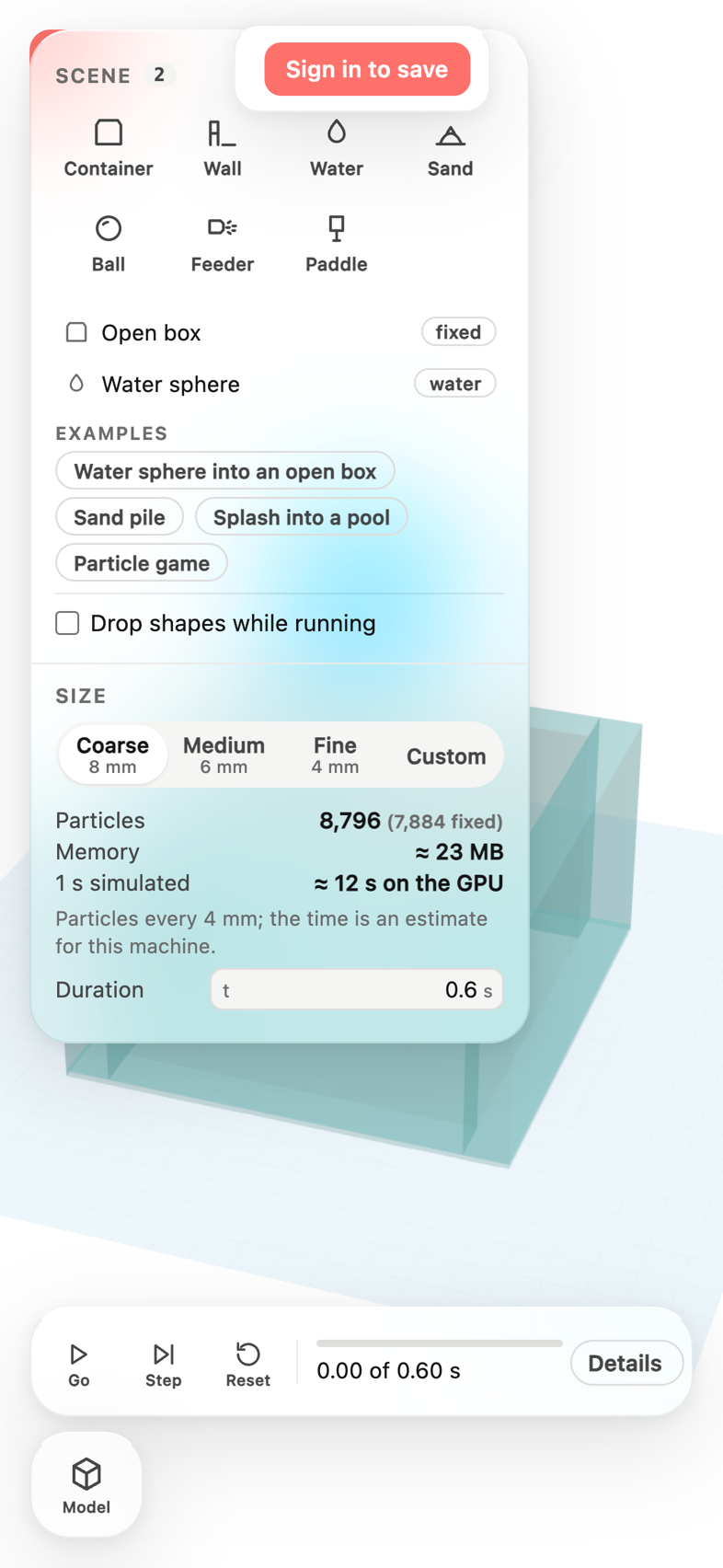
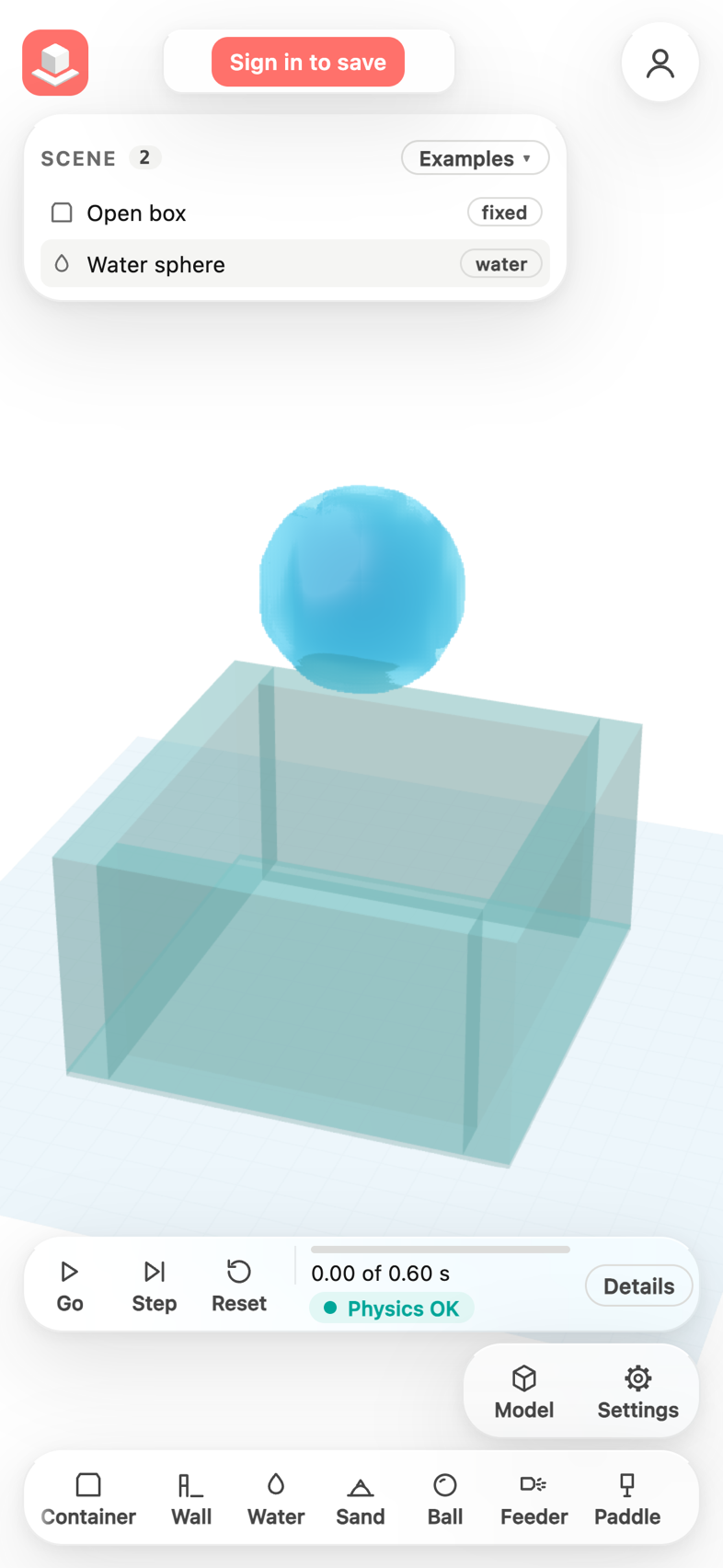 BeforeAfter
Everything in this release
Improved
- On a phone, the top bar, the Feature tree and Scene cards, the view cube, the dock and the bottom tool bar are more compact in both Model and Simulate, so more of the 3D view is visible (about three quarters of an iPhone screen), and tool captions are easier to read.
- On a phone, the view cube is no longer cut off on its right side.
- On a phone, Simulate keeps the modeller's top bar (logo, account and notifications), and Model and Settings sit exactly where Simulate and Settings are in the model.
- The Scene panel is a compact card like the Feature tree: the items and the selected item's properties scroll inside it, so the 3D view stays visible.
- On a phone, Container, Wall, Water, Sand, Ball, Feeder and Paddle are the bottom tool bar, scrolled sideways like the model's tools; Examples is a menu on the Scene card, and Size, Duration and Drop shapes while running are in Settings.
- The run bar (Go, Step, Reset, progress, status and Details) sits above the dock without covering anything, and Details opens as a sheet that fits the screen.
- Orbit, Paddle and Drop now hang under the account button on every screen size, where the model's view cube is.
- In a short window, such as the editor embedded on the home page, the Scene panel scrolls instead of cutting off its last rows.
Other improvements
- A lighter phone layout for Model and Simulate: a slimmer top bar, cards, view cube, dock and tool bar leave more of the 3D view visible; the view cube is no longer cut off.
- Simulate on a phone in the same frame as the model: the modeller's top bar, Model + Settings where Simulate + Settings are, a compact Scene card, the items to add as the bottom tool bar and the run bar above the dock. The Scene panel scrolls in short windows such as the home page's embedded editor.
