Steel parts, live stress and water on Fast
On Fast, a free steel part now moves as one rigid body and runs faster than real time, and you can drag a load over a part while it runs and watch the stress follow. Falling water now reaches the floor at the right time.
Drag the load, the stress follows
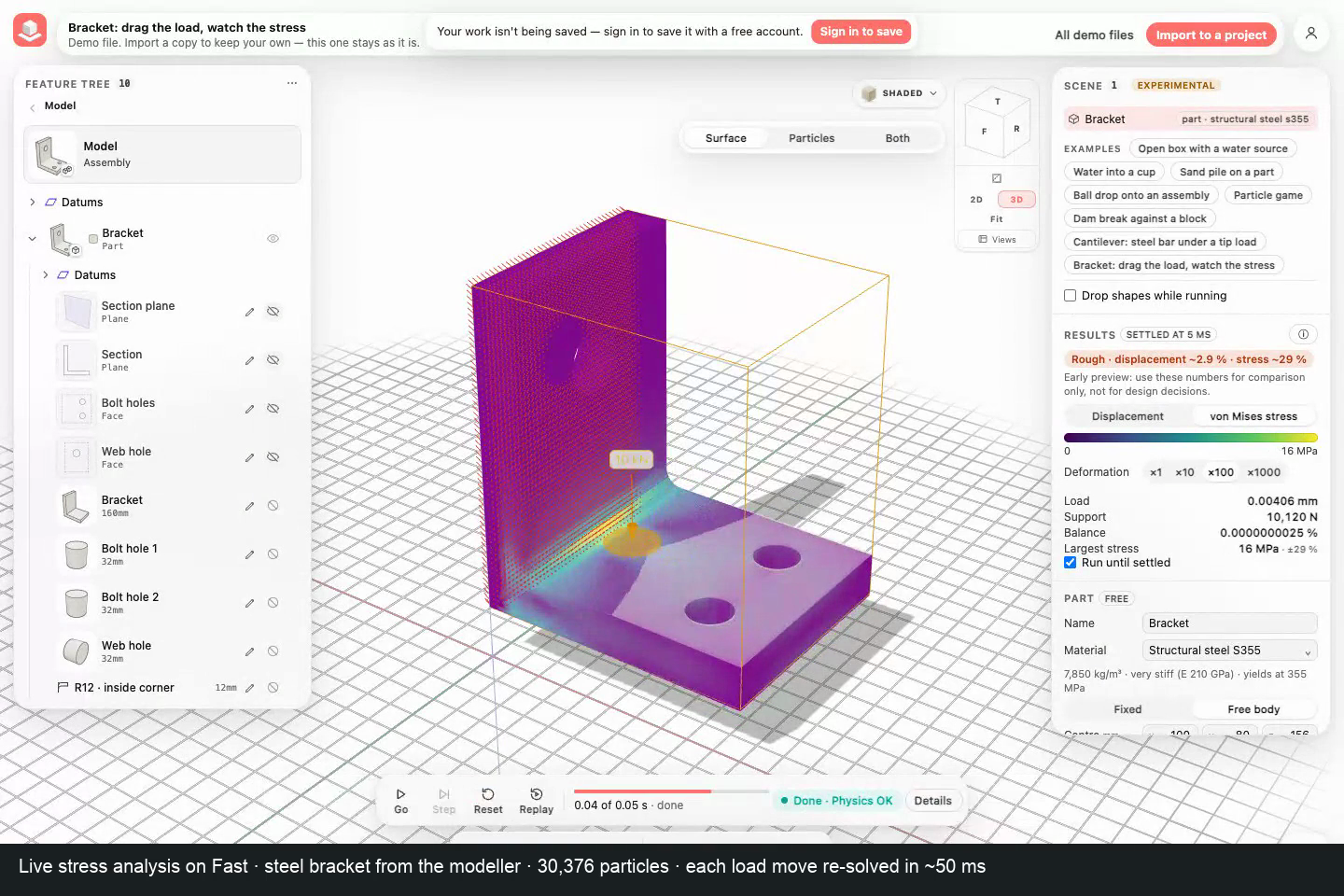
A structural steel ball at rest on the bracket's plate on Fast
Change loads and supports while it runs
A metal part held by a fixed face settles at once on Fast: every frame it takes its static shape for the loads at that moment. So you can change the loads and supports while it runs and see the new answer without starting over.
Moving a load puts it at a point of a flat face as a round contact patch. A point load in a real part spreads over a small area; the patch's diameter is under the load's Patch Ø, and Whole face spreads it over the face again.
- Open Demo files, then Bracket: drag the load, watch the stress under Simulation. The first time in a session, press I understand, open Simulation.
- Under Engine, keep Fast, and press Go. Results reads Settled.
- Drag the orange load arrow along the shelf toward the wall. The stress colours and the Load, Support and Largest stress rows follow as you drag.
- Hold Shift and drag the arrow to turn the load.
- Choose Fix in the bottom bar and click a flat face to hold it too; remove a fixed face under Supports in the part's properties.
How close the numbers are
We checked Fast's stresses against answers known exactly: a bar in tension (exact at every size), the bending stress of a cantilever (within 1.6 % at 4 cells through the bar, 0.2 % at 12), a shaft in torsion and a thick tube under pressure (within about 2 to 5 %, the steps the particles make on round faces), and a plate with a hole, where the largest stress reads 10 to 16 % low at 6 to 10 cells across the hole because the particles sit up to half a cell inside the edge where the stress peaks.
The chip's estimate is computed for your part: the same part solved on cells twice as large, the difference showing how far the result still is from its converged value, plus the half cell a peak may still lie below the surface. In our checks it was at most 1.3 times too low for the stress and 2 times too low for the displacement of a short, thick bar.
Next to the edge of a fixed face, the stress of a perfectly rigid support has no finite value: finer particles read more there. Real supports are not perfectly rigid. Use these numbers for comparison only, not for design decisions.
Try it
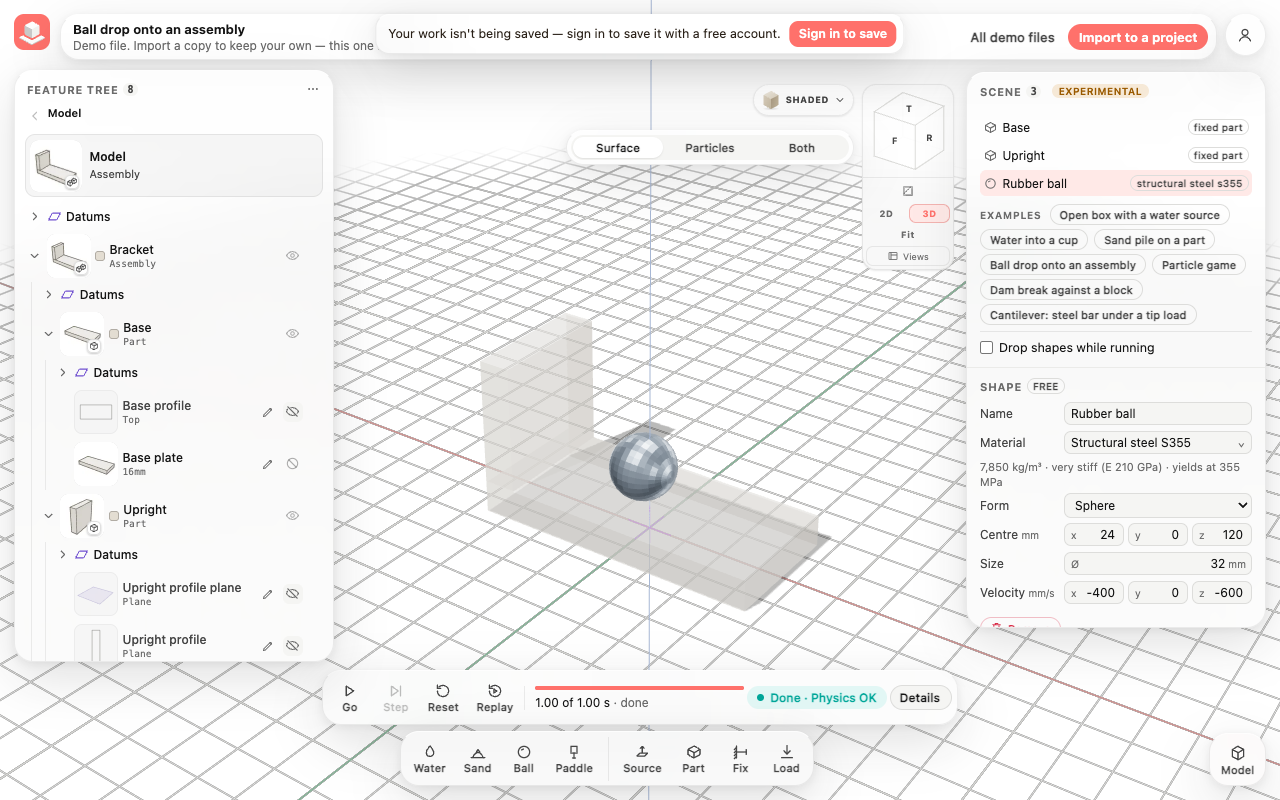
Open the demo Ball drop onto an assembly. In the scene list select Rubber ball, then under Material pick Structural steel S355. Press Go. The steel ball lands on the base plate, bounces a little and comes to rest. Details shows the speed and the energy check (No gain).
Limits
A steel part in water, sand or next to another free soft part keeps the sub-steps (correct, slower). Two free steel parts in one scene do not yet push each other. The contact law is modelled and not yet checked against an experiment; its rebound is about 12 % low at Coarse size. For comparison only, not for design.
Everything in this release
Added
- On Fast, a running part with a fixed face and a load takes changes to its supports and loads while it runs: drag the load's arrow over the part's flat faces to move it (it becomes a 20 mm contact patch at the pointer; Patch Ø changes it), hold Shift while dragging to turn it, edit its force under Loads, or fix and free faces. The part's static shape is solved again without rebuilding the scene, and the stress colours follow.
- A new magnitude or direction of a load needs no new solve and shows at once. A moved load is solved again in about 50 milliseconds on the bracket at the Coarse size (30,000 particles) and drawn about a seventh of a second after you move it; at 6.4 mm (59,000 particles) about 0.1 s of solving, at 4 mm (240,000 particles) about half a second. A changed support takes from 0.7 s (Coarse) to 7 s (4 mm). Results reads updating… until the new shape is within a thousandth of its solution.
- New demo: Bracket: drag the load, watch the stress. A steel wall bracket with two bolt holes, a hole through its web and a rounded inside corner, held at the wall, with 10 kN on its shelf, coloured by von Mises stress.
- On Fast, once a loaded part has settled, the accuracy chip estimates the error for that part and its loads, for the displacement and for the largest stress (for example Indicative · displacement ~2 % · stress ~15 %); the Largest stress row shows its ± too. ⓘ explains how it is estimated and where it is less certain: next to the edge of a fixed face, and on curved faces drawn by the particles in steps.
- Parts made in the modeller with holes, thin walls and fillets now run on Fast's stiff-part model; before, some were refused with an engine error.
- Fixed: Details labelled the work of a load as Paddle work; it now reads Load work.
- Fixed: Settled? in Details could read Still moving on a short loaded run that Results already showed as Settled; both now read the run's own settle check.
Improved
- A free stiff part runs on Fast as one rigid body. Fast checks each part when it builds. A free metal part whose lowest vibration is faster than a 1 ms frame can show moves as one rigid body, in one step per frame. Before, it needed about 1,000 sub-steps per frame (steel at Coarse size). A slender or soft part keeps the sub-steps.
- Speed (Mac Studio M5 Max, the engine alone, 0 to 300 ms): the Ball drop demo with its ball switched to structural steel S355 runs at 3.4 times real time. 1 s of motion takes 0.29 s, where it took 22 s before. Details in the app reads about 1.1 times real time for the same run, because drawing the view adds its time. The 8 mm steel cube of the impact benchmark runs at 1.8 times real time (it took 66 s per second before).
- When a steel part hits a wall or a fixed part, the bounce comes from a modelled contact law (Thornton 1997). It uses the two materials' real stiffness and yield and the contact's curvature, which Fast reads from the part's particles. A structural steel S355 ball hitting steel at 1.4 m/s keeps about a third of its speed (Fast reads 0.31 at Coarse size; the law gives 0.35 for an exact sphere). A material without a yield bounces back fully. Fast books the energy the impact takes. Estimated error: at 8 mm cells the curvature read from the particles is about 28 % too small, so the rebound comes out about 12 % low. The law was checked against Fast's own finely resolved impacts, which come closer to it as the cells shrink. It is not yet checked against an experiment, so compare designs with it, don't size parts from it.
- A steel part that comes to rest stays at rest on the plate, with no gap and no jitter. Its energy check stays clean: no frame gains energy.
- On Fast the hand can pick up a rigid steel part and throw it.
- The ⓘ next to the Engine switch (Less exact on Fast) now describes free stiff parts and names the contact law as modelled, with its measured numbers.
- Limit: a free steel part that shares the scene with water, sand or another free soft part still runs on Fast's slower sub-steps.
Fixed
- Water falling inside a box on Fast now falls freely until it touches the floor. Before, where the water also touched a side wall of the box, the floor started to hold it back about one particle cell early. A block of water dropped 6 mm onto the floor of a 48 mm tank now lands at 34 ms, as falling freely says it should (35 ms) and as Accurate does (34 ms). Before, it lost about a tenth of its speed on the way down and touched down at about 20 ms.
Other improvements
- On Fast, falling water now keeps falling until it reaches the floor. Before, where it also touched a box's side walls, the floor started to slow it about one particle cell early, so it landed too soon and too gently.
- Fast: a free steel part moves as one rigid body (the Ball drop with a structural steel ball runs at 3.4x real time on a Mac Studio M5 Max, was 22 s per second); steel-on-steel bounces from a modelled contact law (Thornton 1997) with its estimated error; the hand can throw a rigid part. A steel part sharing the scene with water, sand or another free soft part keeps the slower sub-steps. (`simulation-fast-free-steel-parts`)
