Contact us from inside the app
Send the CAD team a bug report, question or idea from any page, with screenshots or a screen recording, and get our reply by email or right in the app. Demos now list the models first and open in Shaded with edges.
Report a bug without leaving your model
Open the help button beside the assistant, describe what happened and attach screenshots or a short video.
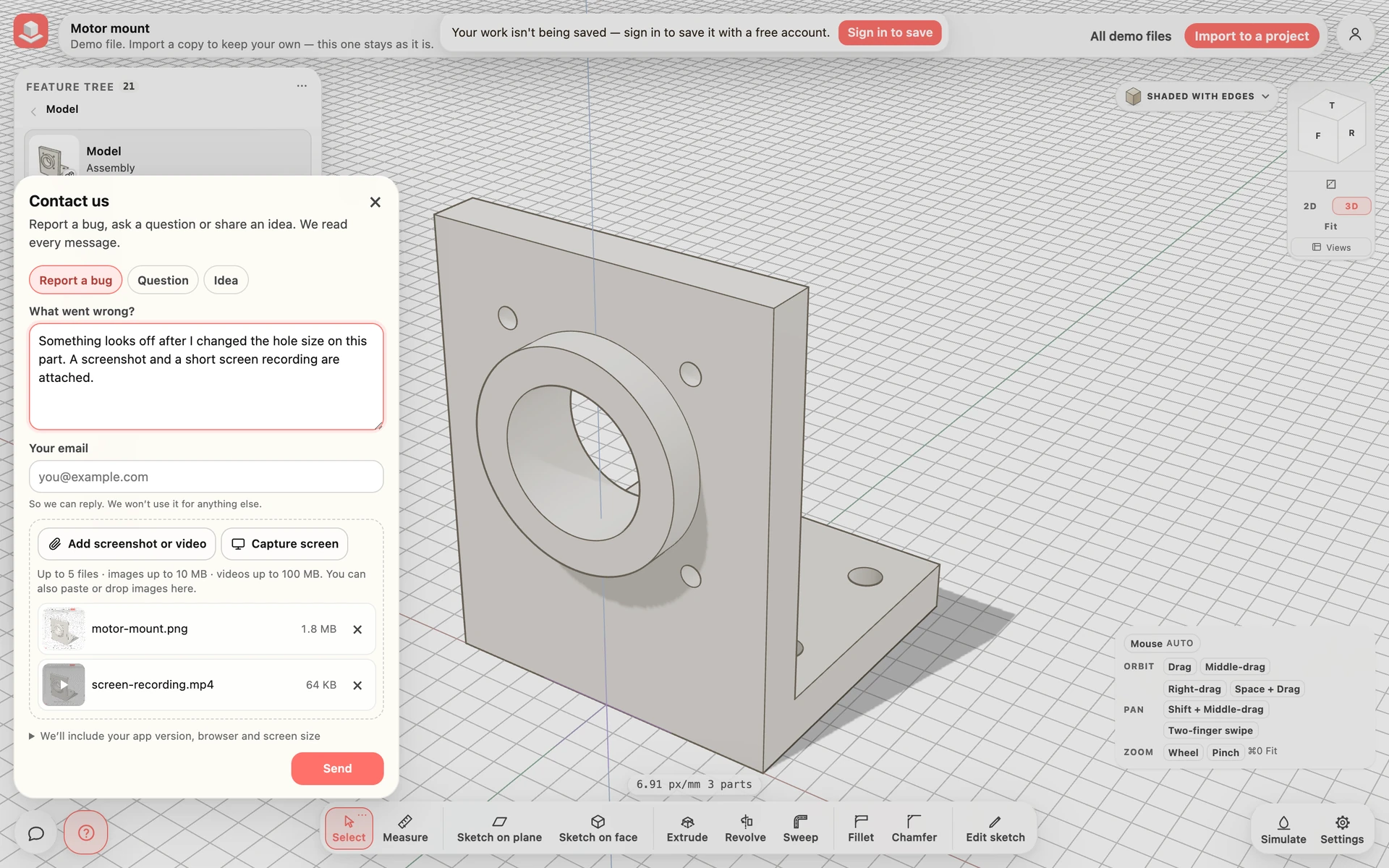
Send a bug report
Your app version, the page you are on, your browser, your screen size and any recent errors from the tab are included automatically, so we can reproduce the problem. Open We’ll include your app version, browser and screen size in the form to see the list before you send.
On a phone, Simulate fills the bottom of the screen and the help button steps aside there; use Contact us or report a bug… in the account menu instead.
- Click the help button: the question mark beside the assistant in the modeller, or bottom right on other pages.
- Choose Report a bug, Question or Idea and describe what happened.
- Click Add screenshot or video, or on a computer paste an image or click Capture screen.
- Click Send. Signed out, add your email first.
Everything in this release
Added
- Contact us or report a bug from anywhere in the app: a round help button sits next to the assistant in the modeller and in the bottom-right corner of every other page, and the account menu has Contact us or report a bug….
- Attach up to 5 screenshots or videos to a message (images up to 10 MB, videos up to 100 MB). On a phone the button opens your photo library and camera; on a computer you can also paste or drop images, or use Capture screen to grab the page.
- You don’t need an account to write to us — signed out, add your email and we reply there.
- Replies from the CAD team arrive by email; the email’s link opens the conversation so you can answer in the same thread. Signed in, the next time you open the app a notice says you have a reply, and a dot on the help button shows when one is waiting.
Improved
- Demo files list the models first and the simulations after them.
- Every demo and every new project opens in Shaded with edges; you can still pick another look from the view menu.
Other improvements
- The privacy page now says that the free file converters count their use anonymously — no cookies or identifiers, and nothing at all when your browser sends Do Not Track or Global Privacy Control. Files are still converted in your browser and never uploaded. A new Support and product improvement section explains how the CAD team uses error reports and session data to fix problems, and what is kept when you contact us.
- Restored projects now count toward the Free plan's project limit, like every other project. Before, a project brought back from the trash was left out of the count.
