Free file converters, right from the homepage
Choose a conversion from the homepage, preview your model or drawing, and download a new format locally in your browser.
Preview your CAD file before converting
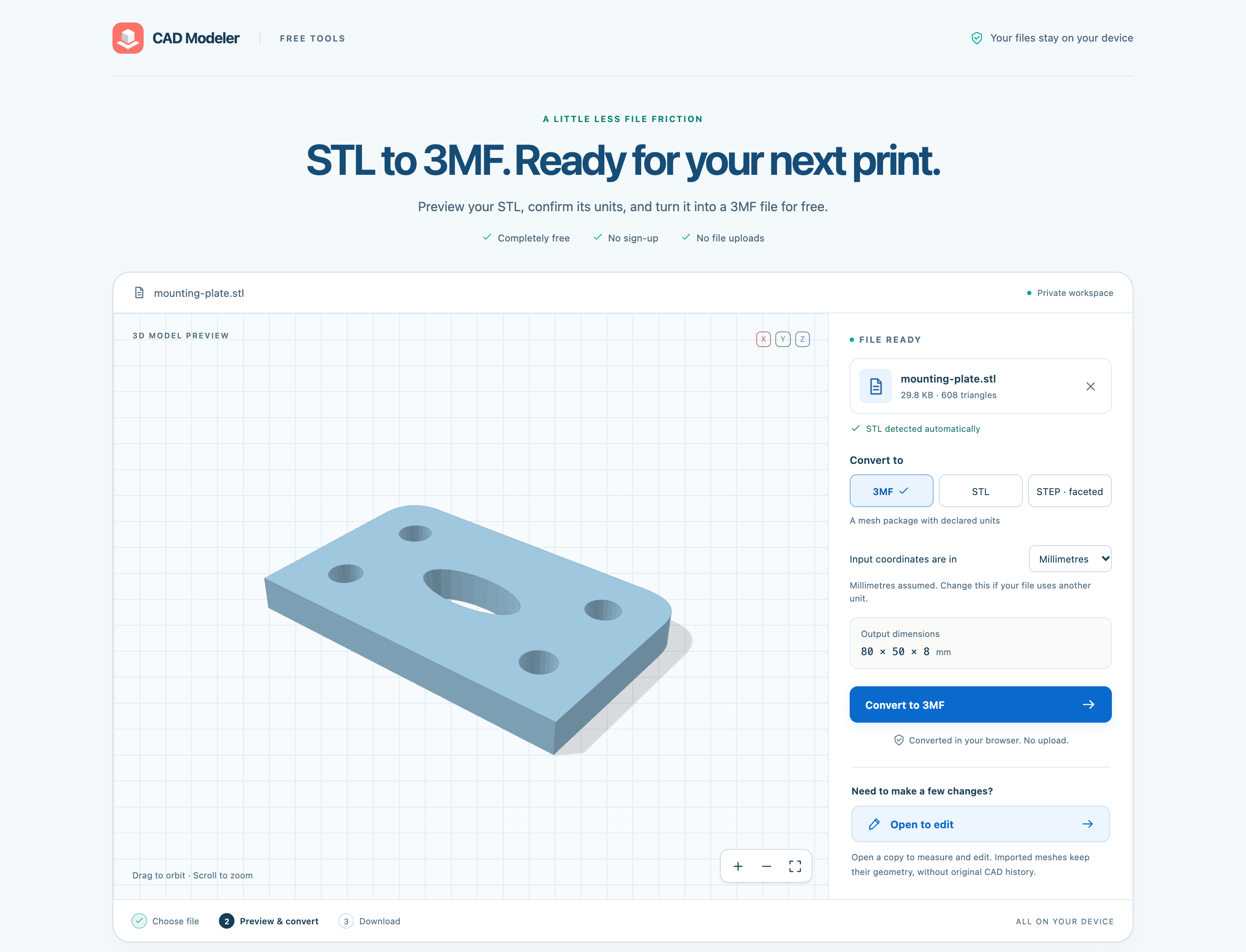
Convert a file from the homepage
Each footer link opens the same local converter with a preset for that task. Every page accepts all supported inputs and switches to compatible outputs when the detected file is a different type. No account or file upload is needed for conversion.
Choose one file up to 20 MB. Supported inputs are STL, supported DXF and faceted STEP. Mesh outputs are 3MF, STL and faceted STEP; drawing outputs are SVG and DXF. STEP export requires a closed model. Curved analytic STEP surfaces and 3MF input are not supported. Review warnings and confirm any omitted geometry before proceeding.
Open to edit opens a new unsaved copy in another editor tab. Drawings become editable sketches; meshes retain their geometry without original CAD history. Saving follows the editor account policy. Conversion results remain temporary until downloaded.
- At the bottom of the homepage, choose a link under Free CAD file converters.
- Drag one file into Drop your file here, use Choose a file, or select try an example.
- Check the detected format and preview. Choose a compatible output and confirm Input coordinates are in and any import warnings.
- Select Convert to followed by the output format, then Download followed by that format. Use Open to edit to inspect or change a new copy in the editor.
Everything in this release
Added
- Find every supported file conversion in the homepage footer: STL to 3MF or faceted STEP, faceted STEP to STL or 3MF, and DXF to SVG, plus a general converter. Each opens a working public page with browser-side conversion and Open to edit.
- Converter pages have their own search descriptions and permanent URLs; their instructions and homepage links are readable before JavaScript loads.
- Drag in one file up to 20 MB, let the converter detect its contents, and preview the model or drawing before downloading. Confirm input units and any omitted geometry before export.
- Convert files locally with progress, cancellation, actionable errors and a brief completion celebration that respects reduced-motion preferences. Open to edit transfers a new unsaved drawing or mesh copy into the editor.
- Brand marks now have a valid image role so screen readers can identify them.
