Smoother finishing, connected surfaces
Finish whole boundaries, merge neighboring bore mouths at the requested size, and review checked results before applying them. Watch 248 editable features in motion when you press Play.
108 finishes, 48 splines, one editable assembly
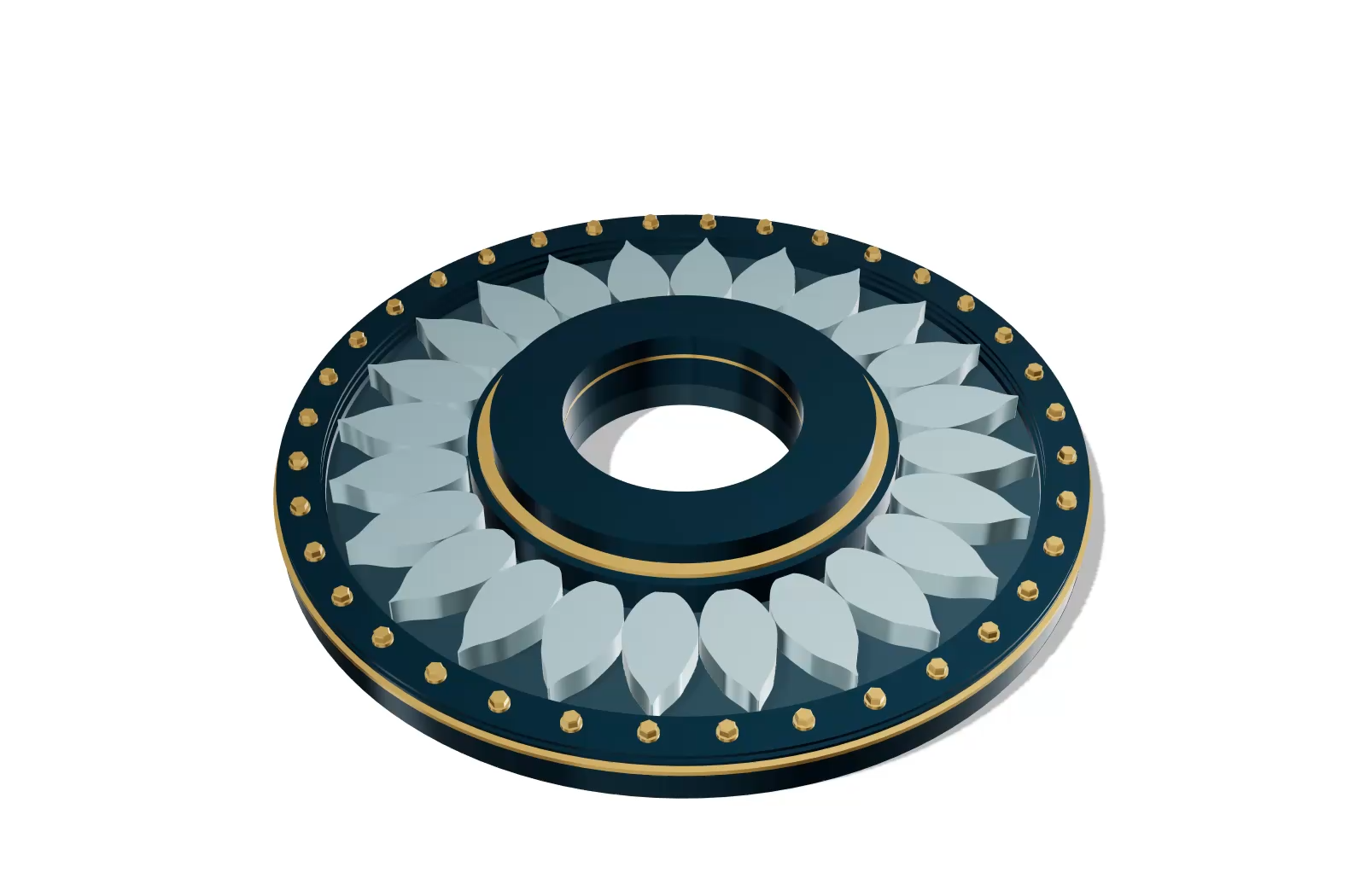
Orbit around AURELIA, a concept turbine built from 248 saved features, including 48 fillets and 60 chamfers. Each of its 68 solids passes complete independent intersection checks.
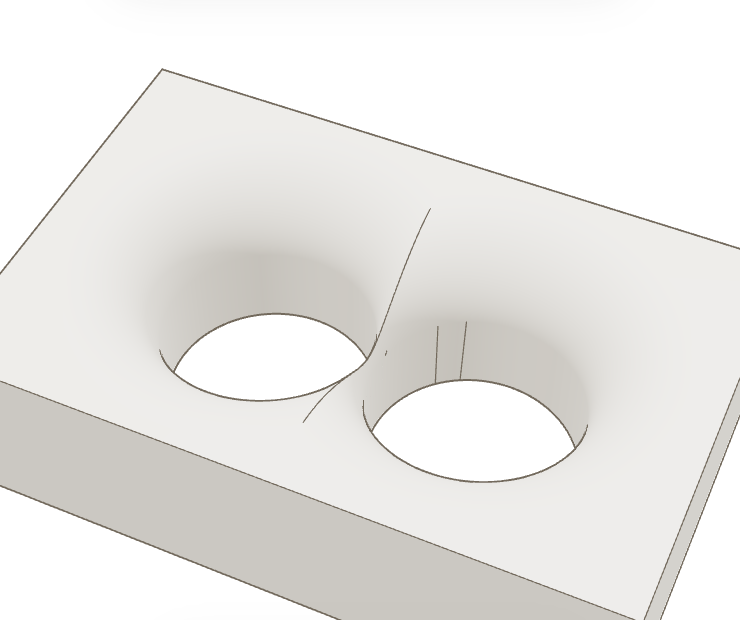
Larger mouths merge at the entered radius
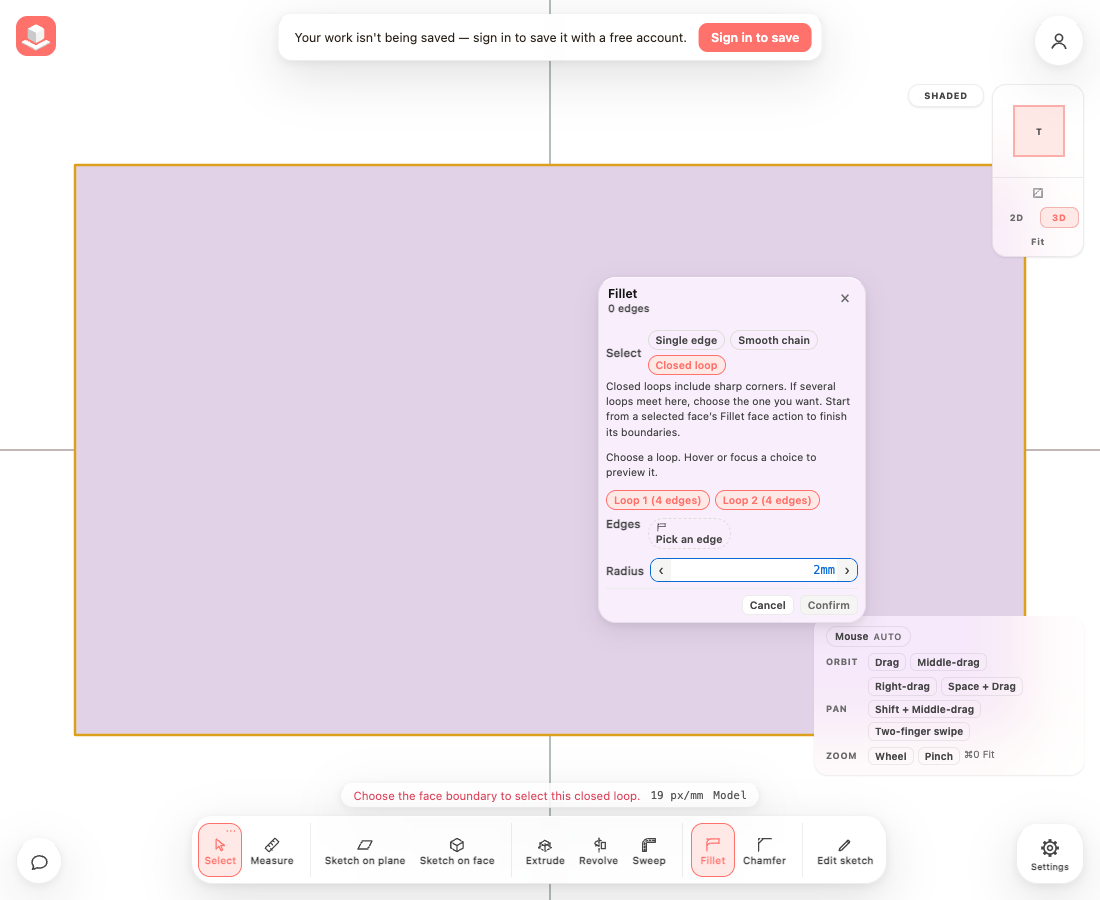
Choose a complete loop
Hover a listed loop to preview its edges, then click to select it. Sharp corners remain in the loop.
Open the turbine from the video
Explore the same AURELIA assembly, with all 248 saved features, in Demo files. Import a copy to edit its splines, fillets and chamfers.
Finish neighboring bore mouths
Circular bore mouths merge automatically when the requested rounds or bevels overlap. The existing finishing tools keep the requested dimensions and retain the deeper wall or blind floors where the finish does not reach them. Mixed finishes and separately selected neighboring bores use the same behavior.
- In 3D, select a face containing circular bore mouths.
- Choose Fillet face or Chamfer face.
- Enter the Fillet radius or Chamfer distance and review the merged preview.
- Choose Confirm to apply the preview.
Review the complete part before confirming
Editing an earlier finish previews the later cuts and finishes too. Confirm is unavailable when the edit introduces a new failed or partially rebuilt later feature. Existing unrelated warnings do not prevent an otherwise valid edit.
Automatic merging requires a planar circular mouth and a recoverable cylinder from a straight extrusion or cut. Bent circular passages and revolved or imported surfaces keep the general finishing behavior. Exact point contact, overlap too shallow for document precision, and a finish too close to or beyond the bore floor receive clear feedback and preserve the preceding solid.
A single interrupted circular rim at an existing merged junction may still need all remaining rim components selected. Further finishing of derived intersection ridges is not universal: a partial result shows a warning and retains a sharp remainder. Arbitrary spline or imported surface merges are not covered by this circular specialization.
A curved rim finish or a cut through a sampled curved surface must pass a complete intersection check. When that check finds a crossing or cannot finish, the operation preserves the preceding solid and explains the refusal.
Select the boundaries you want
Closed loops follow one logical surface boundary through sharp corners. When several loops meet at your pick, hover or focus a listed choice to preview it, then click to select it.
- Finish editing the sketch and switch to 3D. Open Fillet or Chamfer.
- Choose Single edge, Smooth chain or Closed loop, then pick on the model.
- For a selected flat face, use Fillet face or Chamfer face, then Holes only, Outer only or All boundaries.
- For a separately selected interrupted circular rim, Select remaining rims explicitly adds eligible missing runs.
Review results before confirming
Each logical pick reports whether it completed, changed size, completed only partly, skipped, refused or became unavailable. Inspect a result to highlight its input edge and center the view. A saved position is labeled when the current edge cannot be resolved.
- Type the requested radius or distance. Confirm stays disabled while the exact request is pending or no selected edge produced a finish.
- If a checked smaller size is offered, click Use this size to adopt it, then Confirm or Apply.
- Cancel keeps the saved model and history. Editing an earlier finish also reports newly failed later finishing picks.
Finish original imported boundaries
Imported circular holes have a separate edge name for each original wall facet. Closed loop or a face scope collects those edges with one choice; the selected count shows every original edge, and the list scrolls without hiding Confirm or Cancel.
- Finish sketch editing and switch to 3D, then select an imported surface with its original polygon name.
- Choose Fillet face or Chamfer face, then Holes only, Outer only or All boundaries.
- Enter the radius or distance in your project units, or include an explicit unit such as .3mm. Review the checked result and choose Confirm.
- Use the saved feature to edit its dimension later. Cancel restores the saved finish; Apply commits a checked edit.
Geometry limits
Alternative-size checks cover at most six discrete smaller requests. They certify the offered size, rather than a maximum or an interval.
Complete circular mouths at a proved straight terminal collar can finish on bent and spline passages and revolved collars. Sharp spline tips on proved straight extrusions can retain the requested radius across short neighboring curve segments.
On proved straight sections, the requested chamfer plane can continue through neighboring segments of the selected surfaces. The native example applies R0.5 to the spline tip, D15 to its separate heel, then R0.2 to a newly named chamfer contact.
Original imported polygon boundaries can retain editable finishing history through persisted identities. Closed loop and face scopes collect their separate facet edges. Clipped or split remnants, new derived intersections and saved partial-edge traces are not supported by these original-boundary names; imported sketch-plane authoring remains unavailable.
A convex junction with four to eight planar supporting faces can finish on one requested-radius sphere when every incident edge is selected at the same radius and the actual planes admit its common centre. Partial selections, unequal radii and other junction geometry retain the general finishing path and its existing limits.
General shared three-dimensional junctions still include unsupported cases, including the full chamfer-to-small-fillet ridge in the extreme examples. Unverified constructions preserve the prior solid; very short contacts can also be limited by document precision.
Placement preserves the selected edge, while the geometry still has to pass the finishing kernel. The tested sharp spline chain retains its requested sizes after upright rotation and translation; tilting it away from a principal axis can still refuse the finish and retain the prior material. An already-moved legacy reference without a provable original position still requires re-picking; independently moved supporting surfaces and deleted or split runs refuse.
Previously rendered, unchanged documents can reuse checked legacy edge references during placement. A legacy document without matching checked evidence still replays its original history before its first move; the new placed geometry is always recalculated and checked.
Watch an update
Video spotlights load their recordings only after you choose Play video. Playback starts muted; native controls let you pause, change volume, seek and enter fullscreen.
Playback and seeking depend on the recording, your browser and connection. If playback fails, use Try again or Download video.
- Open What’s New and choose the update you want to read.
- Choose Play video on a video spotlight. Use the player controls to pause or seek.
Everything in this release
Improved
- Overlapping circular bore fillets and chamfers merge automatically at the requested size, including mixed finishes and whole-face perimeter selections.
- Editing an earlier fillet or chamfer previews the later features and blocks new downstream failures, including different failed edges that previously showed the same short warning.
- Native bore rim and derived intersection edge finish previews use the applied model's detail, so the preview and Confirm agree.
- Unsupported partial bore rounds at merged junctions now explain how to select the remaining rim components and preserve the preceding solid.
- Fillets on sampled curved rims preserve the original solid when the result crosses itself or cannot be fully checked, without reporting adjustments from a rejected attempt.
- Cuts and joins through sampled curved surfaces preserve their original shape and reject unverified crossings, including after refinement and later cuts.
- Repeated cuts on the same surface now remove opposing remnants cleanly instead of leaving overlapping faces or refusing the valid remaining solid.
- Switching between Fillet face and Chamfer face cancels the previous draft cleanly and keeps one finishing panel active.
- Fillet and chamfer cards can select a complete boundary loop through sharp corners, with explicit choices and hover previews when several loops meet.
- Fillet face and Chamfer face let you choose Holes only, Outer only or All boundaries on a flat logical surface.
- Select remaining rims explicitly adds eligible missing interrupted circular runs while preserving the original pick.
- Fillet and chamfer cards show completed, partial, reduced, skipped, refused and unavailable picks, and let you inspect their actual edge locations and newly failed later finishing picks.
- When a finish cannot complete, the app can test a few smaller sizes and offer an independently checked alternative that you explicitly adopt with Use this size.
- Finishing previews and recovery searches calculate in cancellable workers, so typing, orbiting and Cancel remain responsive and stale calculations cannot replace the latest request.
- Confirm and Apply wait for the exact request to pass a full-detail solid and intersection check; finishing requests that produce no geometry stay disabled.
- Face actions and Focus surface use the correct standing surface during saved fillet and chamfer edits, and switching edit contexts clears stale face and edge highlights.
- Straight extrusions with sharp spline tips can keep the requested fillet radius across short neighboring curve segments instead of shrinking it to the first segment.
- Complete circular mouths on proved straight collars can finish and merge on bent and spline passages and revolved collars while preserving the deeper geometry.
- Chamfers on proved straight sections can follow a selected corner across short spline segments while preserving unrelated lobes and holes, with named chamfer contacts available for later finishing.
- Finishing preview detail avoids looking up selected edges in unrelated parts of a multi-part project.
- Finishing retries and alternative-size checks on terminal collars avoid repeating checks of unchanged input surfaces while continuing to verify every new result.
- Undo, Redo, opening a project and starting a new document cancel active fillet/chamfer sessions, so a pending confirmation cannot change the replacement model.
- Complete original imported polygon boundaries can now have editable fillets and chamfers that retain their selections through save/reopen, placement and Undo/Redo; face scopes and closed loops collect their facet edges in one choice.
- Saved imported selections with unsupported partial-edge traces now refuse and retain the solid instead of silently finishing the whole original edge.
- Convex planar junctions with four to eight supporting faces can meet on one requested-radius sphere when every incident edge is selected at the same radius and the planes share its centre, including mirrored, rotated and far-translated parts.
- Large finishing selections scroll without pushing Confirm and Cancel offscreen, while keeping every selected edge individually reachable.
- Enter on a finishing card button now performs that button’s action without also confirming the finish; Enter in the dimension field still confirms a checked request.
- Surface-intersection checks on densely faceted parts run faster while retaining complete validation.
- Imported faces with original polygon names can be selected for fillets and chamfers without an unavailable Create sketch action; the Sketch on face picker explains the sketch limit without changing the model.
- Cleanup after cuts on imported geometry distinguishes each original polygon, keeping unrelated polygons separate.
- Moving or rotating a part keeps supported saved fillets and chamfers on the selected curved edge, with original dimensions and downstream finish references preserved.
- Changing a finishing reference while confirmation or recovery is pending clears earlier results instead of accepting them for the changed selection.
- Moving an already displayed part can reuse its checked curved-edge references, keeping placement responsive while the new geometry recalculates.
- Finishing cards leave room for the selected face’s actions, so you can switch between Fillet face and Chamfer face without a panel covering the buttons.
- What’s New video spotlights show a poster and Play video button without requesting the recording until you press Play, then provide native playback and seek controls.
- If a release video fails to play, Try again and Download video keep the recording accessible without hiding the update details.
Fixed
- The 1.6.0 update now showcases the actual file converter and model preview instead of a homepage footer comparison.
