Parametric sketching
Lines, arcs, circles and splines, held by constraints — horizontal, parallel, tangent, equal — and driven by dimensions. Type 40 mm and the line becomes 40 mm.

Parametric CAD in the browser
CAD Modeler is 2D and 3D CAD modeling in one file. Put a number on a line and the line becomes that number. Everything constrained to it follows — and so does the solid standing on it.
Lines, arcs, circles and splines, held by constraints — horizontal, parallel, tangent, equal — and driven by dimensions. Type 40 mm and the line becomes 40 mm.
Extrude, revolve and sweep areas of the sketch into solids, round edges with fillets, and change the drawing later — the solid rebuilds from what it encloses now.
Union, difference and intersection on an integer lattice: degeneracy is decidable and union is idempotent, so cut, join and combine without watching for slivers.
Import an STL and it lands as a body beside the parametric ones — and a parametric cut will go through it. Repair-free meshes are welcome; open ones are told so by name.
The drawing goes to DXF, the solid to STL for the printer or STEP for the machine shop. Hidden parts stay home; open surfaces are flagged, not hidden.
Work starts immediately and saves in your browser — no account, no upload. Sign in free to keep projects in the cloud and pick them up on another device.
A maker checking whether a bracket fits before the printer does. An engineer sketching a mechanism to see it move. A student learning what a constraint is for. Someone who needs a clean DXF or STEP at midnight and does not want a license conversation first. If you think in drawings, this is your CAD — free, in the browser, on Mac, Windows, Linux, Chromebook or iPad.
 ▶ Video
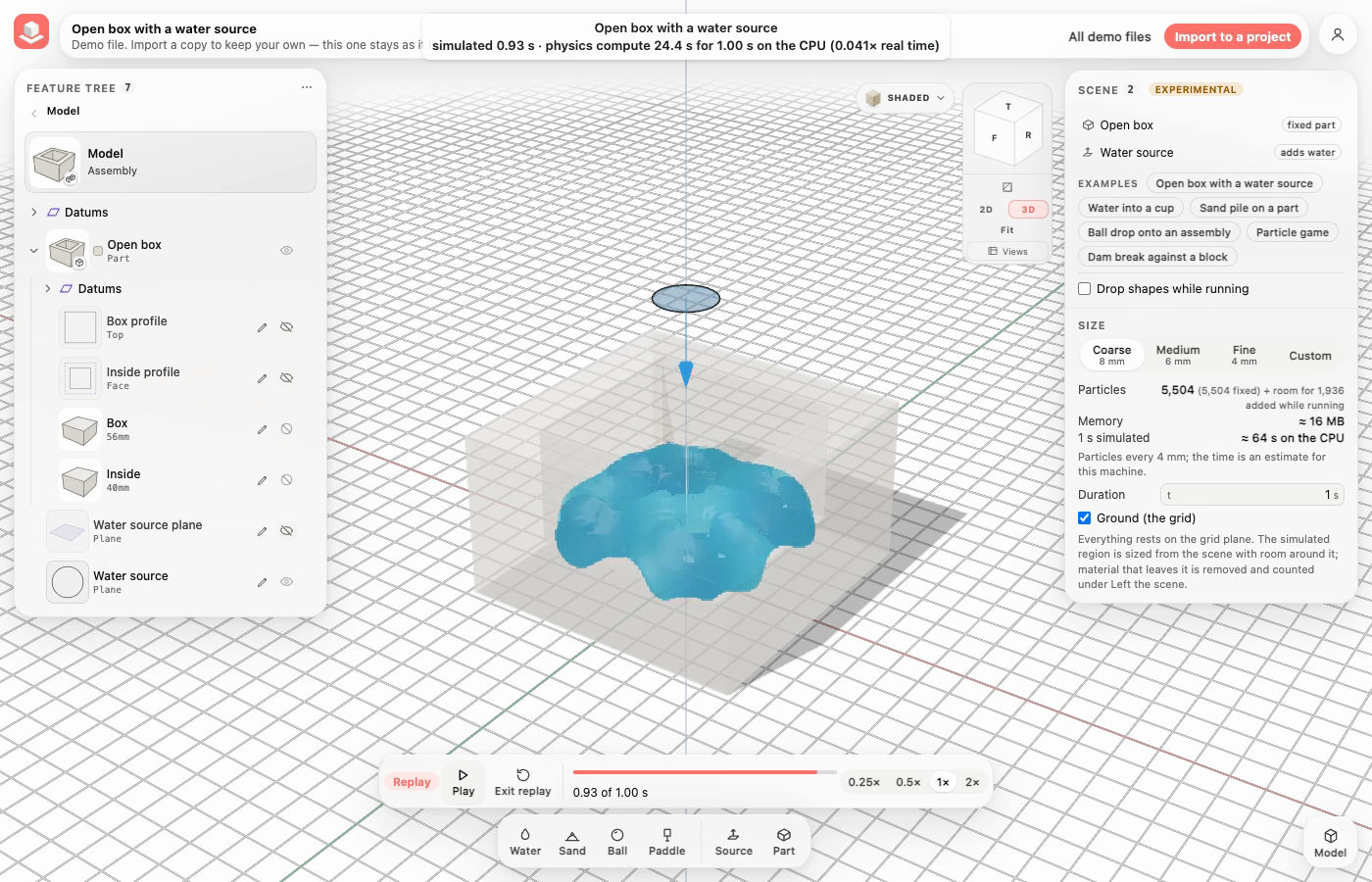
Make a water source from any closed sketch or face of your model, grab and move parts while a simulation runs, then replay it with your moves. Six Simulation demo files to start from, with the scene beside your Feature tree.
Read update →